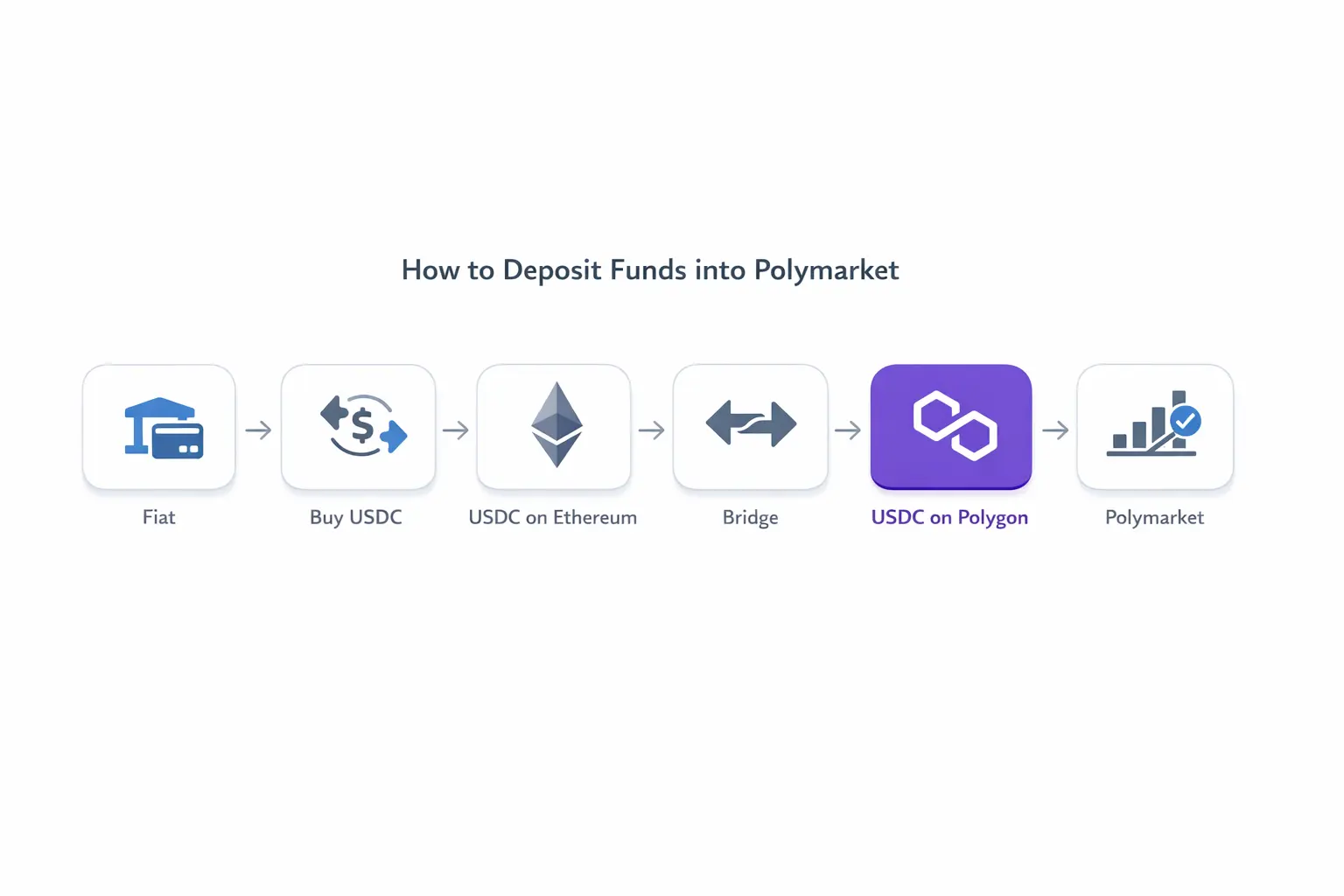
How to Deposit to Polymarket: Step-by-Step Guide
Introduction
Depositing funds into Polymarket is not as straightforward as sending fiat or topping up a typical exchange account. Polymarket operates entirely on-chain, which means you need the correct token, on the correct network, inside a self-custody wallet.
Most issues users face come from a mismatch between networks or assets — for example, holding USDC on Ethereum while Polymarket requires it on Polygon. This guide walks through the exact process step by step, highlighting where things usually go wrong and how to avoid it.
What You Need Before Depositing to Polymarket
Before interacting with Polymarket, you need a few specific components in place.
First, you need a self-custody wallet such as MetaMask. This is required to connect directly to the platform and manage your funds. If you already use a Web3 wallet, you can proceed with that.
Second, you need USDC. Polymarket does not support fiat deposits or alternative tokens, so your balance must be in USDC before you can start.
Third, the network matters. Polymarket operates on Polygon, not Ethereum mainnet. This distinction is critical: even if you already hold USDC, it must be on Polygon to be usable on the platform.
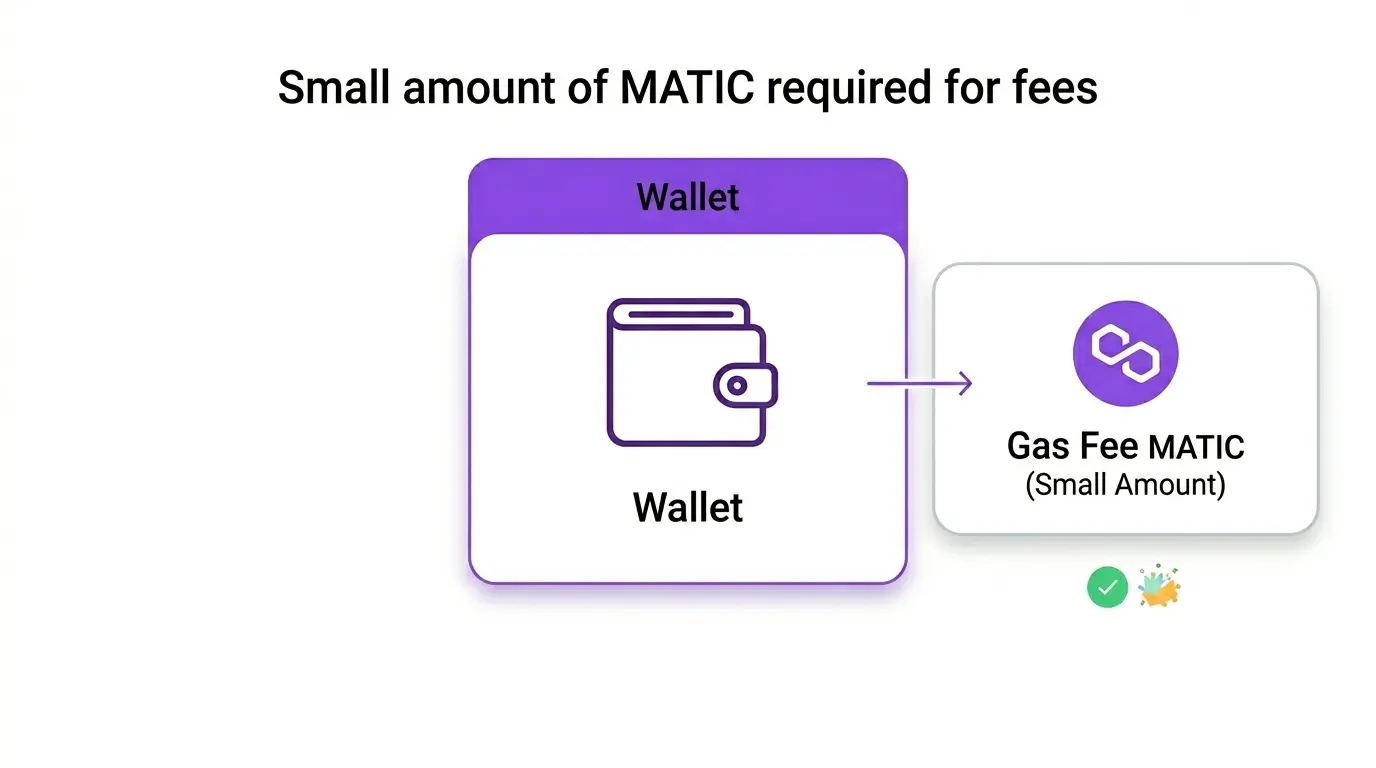
Finally, you will need a small amount of MATIC in your wallet to cover transaction fees on Polygon. Without it, even a correct setup will not allow you to complete transactions.
With these prerequisites in place, the actual deposit process becomes straightforward — but getting them wrong is where most users run into problems.
How to Deposit to Polymarket: Step-by-Step
Step 1 — Create a crypto wallet
To interact with Polymarket, you need a self-custody wallet. The most commonly used option is MetaMask, which works directly in your browser.
If you already have a wallet, you can use it as long as you control the private keys. If not, set one up and make sure you can switch between networks — this will be required later.
Step 2 — Buy USDC
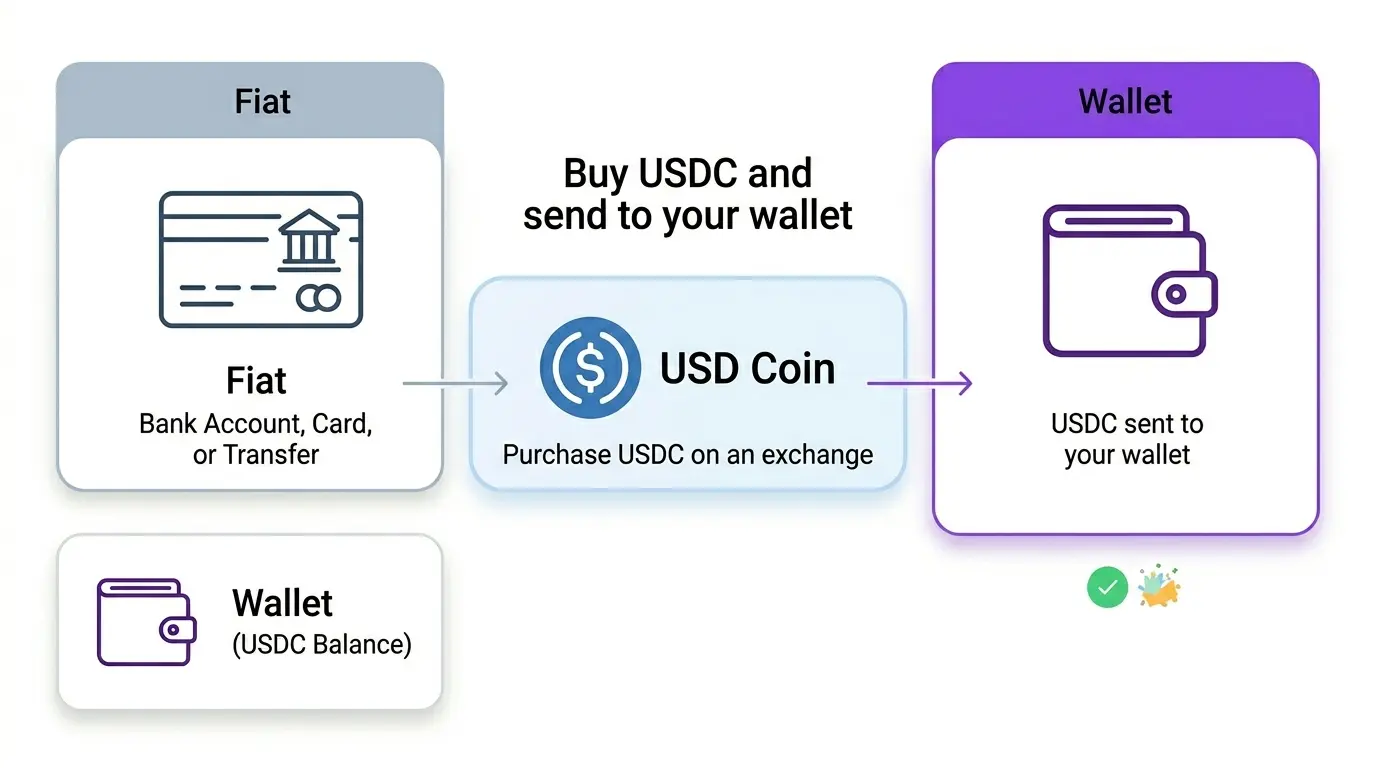
Polymarket requires USDC, so the next step is acquiring it.
Most users buy USDC through centralized exchanges or on-ramp services. If you are starting from fiat, using an on-ramp is typically the fastest way to get funds into crypto without additional steps.
For example, you can use our platform to buy USDC and transfer it to your wallet, then proceed with bridging to Polygon. At this stage, the exact network is less important — what matters is that you now hold USDC in your own wallet.
Step 3 — Move USDC to Polygon
This is the step where most users make mistakes.
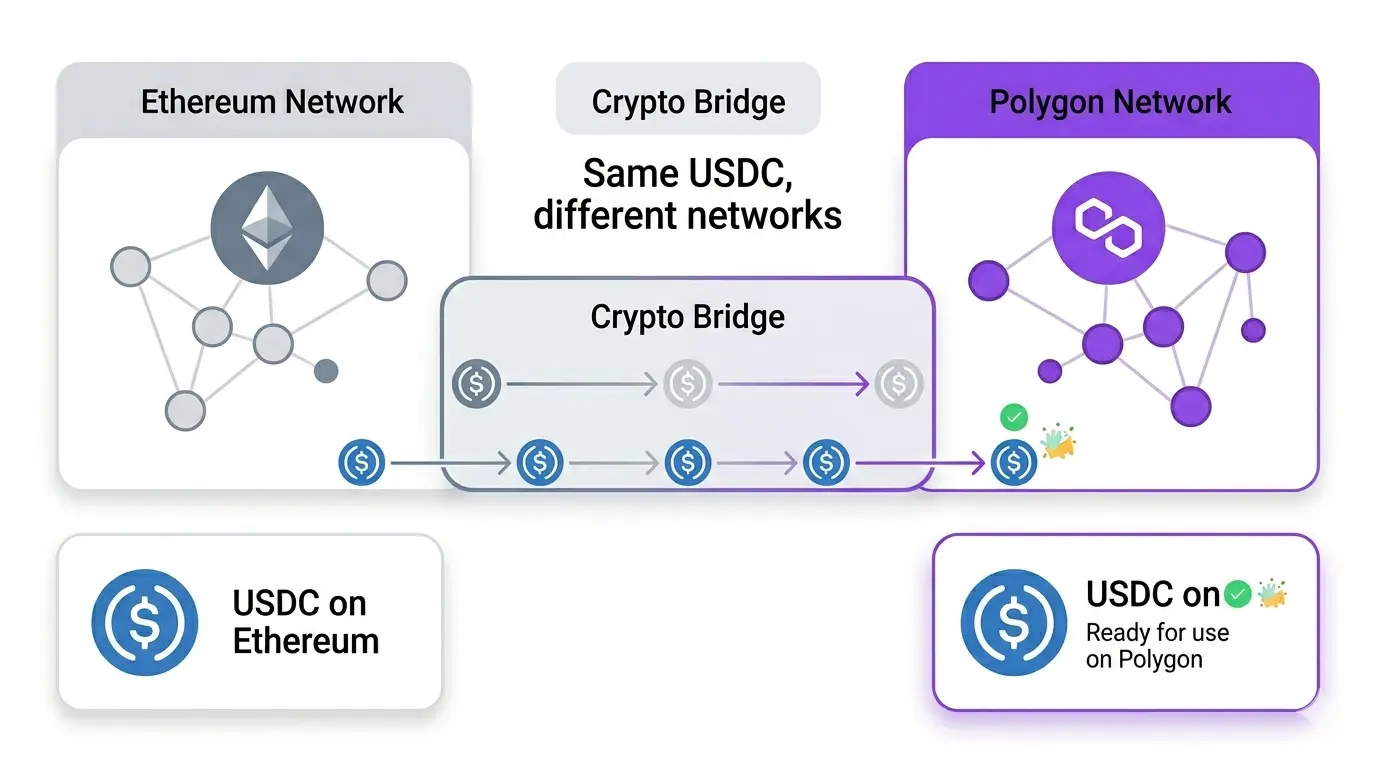
Even if you already have USDC, it is often on Ethereum by default. However, Polymarket operates on Polygon, and assets on different networks are not interchangeable.
To use your funds, you need to bridge your USDC from Ethereum to Polygon. This is done through a bridge interface, which transfers your tokens between networks.
This step is not optional in most cases. Simply sending USDC without bridging will not make it available in Polymarket.
Step 4 — Connect your wallet to Polymarket
Once your funds are on Polygon, go to the Polymarket website and connect your wallet.
The process is standard: click “Connect Wallet,” select your wallet provider, and confirm the connection in your wallet. No funds are moved at this stage — you are only authorizing access.
Step 5 — Start using your funds
After connecting your wallet, your USDC balance on Polygon becomes available within the platform.
Unlike centralized exchanges, there is no separate “deposit” action. Your wallet is your account, and once connected, you can immediately start trading in prediction markets.
Why your USDC might not work on Polymarket
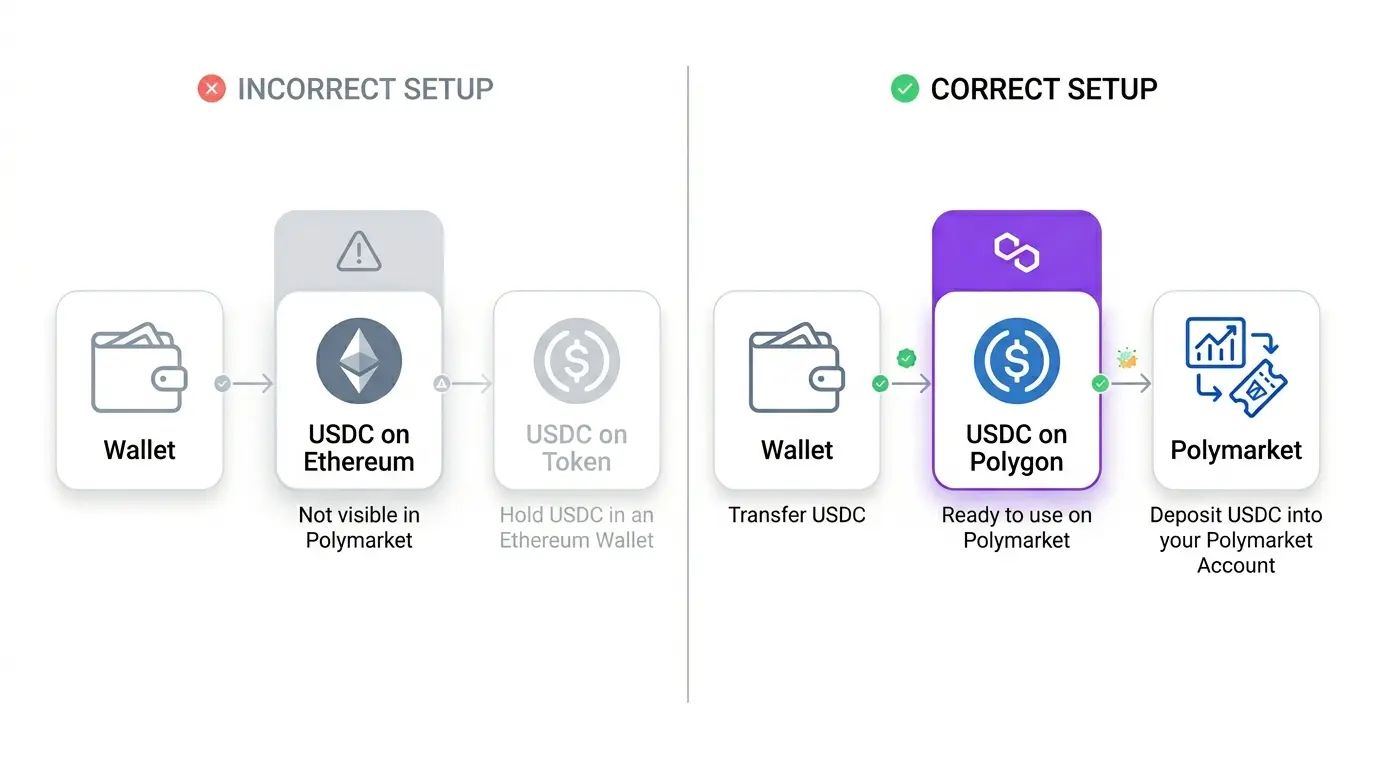
A common source of confusion is that not all USDC is the same in practice.
USDC on Ethereum is different from USDC on Polygon, even though the token name is identical. If your balance is on the wrong network, Polymarket will not recognize it.
This is why bridging is required in most cases — and why simply buying USDC is not enough on its own.
Simplest Way to Get USDC for Polymarket
For most users, the complexity is not Polymarket itself, but getting from fiat to usable USDC on the correct network.
The typical path looks like this: buy USDC → withdraw to your wallet → bridge to Polygon → connect to Polymarket. Each step introduces potential friction, especially if you are unfamiliar with how networks work.
One of the more straightforward ways to start is to use an on-ramp service that allows you to purchase USDC directly with fiat and send it to your wallet. For example, you can use your platform to buy USDC and receive it in your wallet, then bridge it to Polygon as described above.
This approach does not remove the need for bridging, but it simplifies the entry point by avoiding unnecessary intermediaries and giving you immediate control over your funds.
Common Mistakes When Depositing to Polymarket
Most failed deposits or missing balances come down to a small number of recurring issues.
One of the most common mistakes is using the wrong network. Users often buy USDC on Ethereum and expect it to appear in Polymarket, without realizing that Polygon is required.
Another frequent issue is using the wrong asset. Tokens like USDT or ETH will not work, even if they are on the correct network.
Some users also forget to keep a small amount of MATIC for gas fees. Without it, transactions on Polygon cannot be completed, even if everything else is set up correctly.
Finally, skipping the bridge step entirely is a typical problem. Buying USDC alone is not enough — if it is not on Polygon, it cannot be used.
Fees and Costs Explained
Depositing into Polymarket involves several types of costs, depending on how you move your funds.
When buying USDC with fiat, you may incur on-ramp or exchange fees. These vary by provider but are usually built into the final rate.
If your USDC is on Ethereum, bridging to Polygon will involve network fees. Ethereum gas costs can fluctuate, so this step may be the most expensive part of the process.
Once on Polygon, transaction fees are significantly lower. You will only need a small amount of MATIC to cover basic interactions.
Understanding where these costs occur helps avoid surprises and allows you to choose the most efficient path depending on your starting point.
FAQ
Can I deposit fiat directly to Polymarket?
No. Polymarket does not support fiat deposits. You must first convert fiat into USDC and hold it in a crypto wallet.
Which network does Polymarket use?
Polymarket operates on Polygon. Funds on other networks, such as Ethereum, need to be bridged before they can be used.
Why is my deposit not showing?
The most common reason is that your USDC is on the wrong network. If it is still on Ethereum, it will not appear in Polymarket until you bridge it to Polygon.
Do I need KYC to use Polymarket?
Polymarket itself typically does not require KYC for basic usage, but services used to purchase USDC (such as exchanges or on-ramps) may require verification depending on the provider and jurisdiction.
Final Notes
Depositing to Polymarket is straightforward once you understand the structure: you are not sending funds to an account, but interacting directly from your wallet on the correct network.
The critical points are consistent across all setups: you need USDC, it must be on Polygon, and your wallet must be connected. Most errors come from skipping one of these constraints, particularly the network mismatch between Ethereum and Polygon.
If you are starting from fiat, the process will always involve two stages — acquiring USDC and ensuring it is on the right network.
Using a reliable on-ramp to acquire USDC before bridging to Polygon can significantly simplify the overall process.
Once this flow is clear, using Polymarket becomes operationally simple, and repeated deposits no longer require the full setup again.